How to Create A+ Content for Amazon KDP
A+ Content on Amazon KDP helps your book page look more professional by adding:
Banners
Images
Author sections
Visual descriptions
It helps readers connect with your book faster and can improve conversions for all genres including fiction, non-fiction, romance, fantasy, self-help, journals, and children’s books.
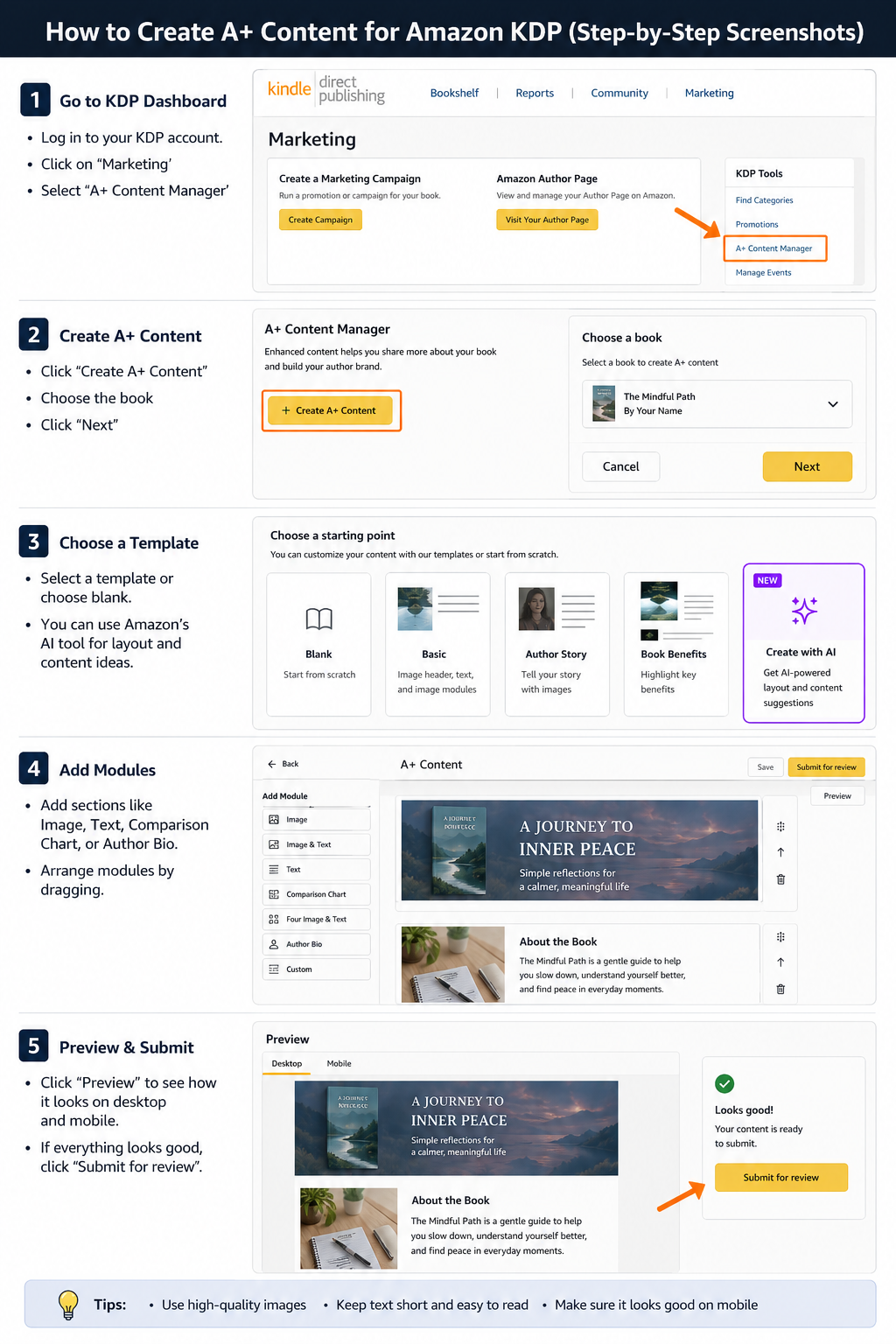
How to Create A+ Content
-
-
Amazon now includes an AI-powered feature inside the A+ section that helps generate layouts and content ideas automatically.
It’s useful for beginners and can help speed up the process.
-
What to Write
Focus on what the reader gains from the book.
Fiction Example
“A powerful journey through love, loss, and redemption.”
Self-Help Example
“A reflective guide for navigating emotional overwhelm and uncertainty.”
Keep text:
Short
Emotional
Easy to skim
What You Cannot Put in A+ Content
Amazon may reject your content if you include:
Website links or social media
Promotional phrases like “best-selling”
Requests for reviews
Misleading claims
Low-quality images
Copyrighted images you don’t own
Official Guidelines
Quick Tips
Use clean, mobile-friendly designs
Match visuals to your genre
Keep text minimal
Use high-quality images
When I published my debut book, Me for Myself, I thought hiring book influencers with huge followings would guarantee instant sales. I was wrong. Over the past year, I’ve invested my marketing budget into multiple influencer promotions—some were amazing, while others were incredibly disappointing. Here are the expensive lessons I learned the hard way, so you don't have to.