
Editing is where your book becomes readable.
How to Edit Your Book
A Practical System That Actually Works
Editing is where your book becomes readable.
Most writers don’t struggle because editing is hard.
They struggle because they don’t know how to do it properly.
This page gives you a simple system you can follow step by step.
-
Don’t overthink it.
Print one chapter
Grab a pen or marker
Read it out loud
Mark what feels off
Don’t fix anything yet.
Just start.
-
Don’t try to edit your entire book at once.
Work like this:
One chapter
One sitting
One focus
This keeps editing manageable and consistent.
-
Editing only on screen hides mistakes.
When you print:
You notice awkward sentences faster
You see repetition clearly
You focus better
Use a simple system:
Underline confusing lines
Circle repeated words
Cross out unnecessary parts
Highlight strong sections
This makes problems visible instantly.
-
This is one of the simplest and most effective techniques.
If a sentence feels awkward to say, it will feel awkward to read.
You’ll catch:
Poor flow
Long sentences
Repetition
-
One edit is never enough.
Use this structure:
Edit 1: Structure
Remove what doesn’t add value
Rearrange sections
Fix gaps
Edit 2: Clarity
Simplify sentences
Remove repetition
Improve flow
Edit 3: Polish
Grammar
Spelling
Punctuation
Each pass has one purpose. Don’t mix them.
-
This is where most writers get lost.
You will create multiple versions. That’s normal.
Name your files clearly:
Book_v1_FirstDraft
Book_v2_Structure
Book_v3_Clarity
Book_v4_Final
Don’t overwrite your original draft.
-
Instead of editing the same file again and again:
Duplicate your manuscript
Edit on the new version
This gives you:
Backup safety
Clear progress
Freedom to make changes
-
This part is uncomfortable but important.
Give your manuscript to someone who reads and will be honest.
They will:
Show what doesn’t make sense
Point out weak areas
Tell you where they lost interest
It may feel frustrating.
But it will improve your book.
-
-
You are a writer, not an editor.
Don’t:
Spend weeks researching tools
Buy expensive software thinking you’ll use it later
If you have money → hire an editor
If you don’t → use simple tools and move forward -
If you can afford it, hire one.
A professional editor will:
Save you time
Improve quality
Catch things you missed
But if you can’t, don’t wait.
A well-edited draft is better than no book.
-
Not when it’s perfect.
When:
It’s clear
It flows well
A reader understands it
That’s enough to move forward.
The Self-publishing 360 Notion Author OS Template
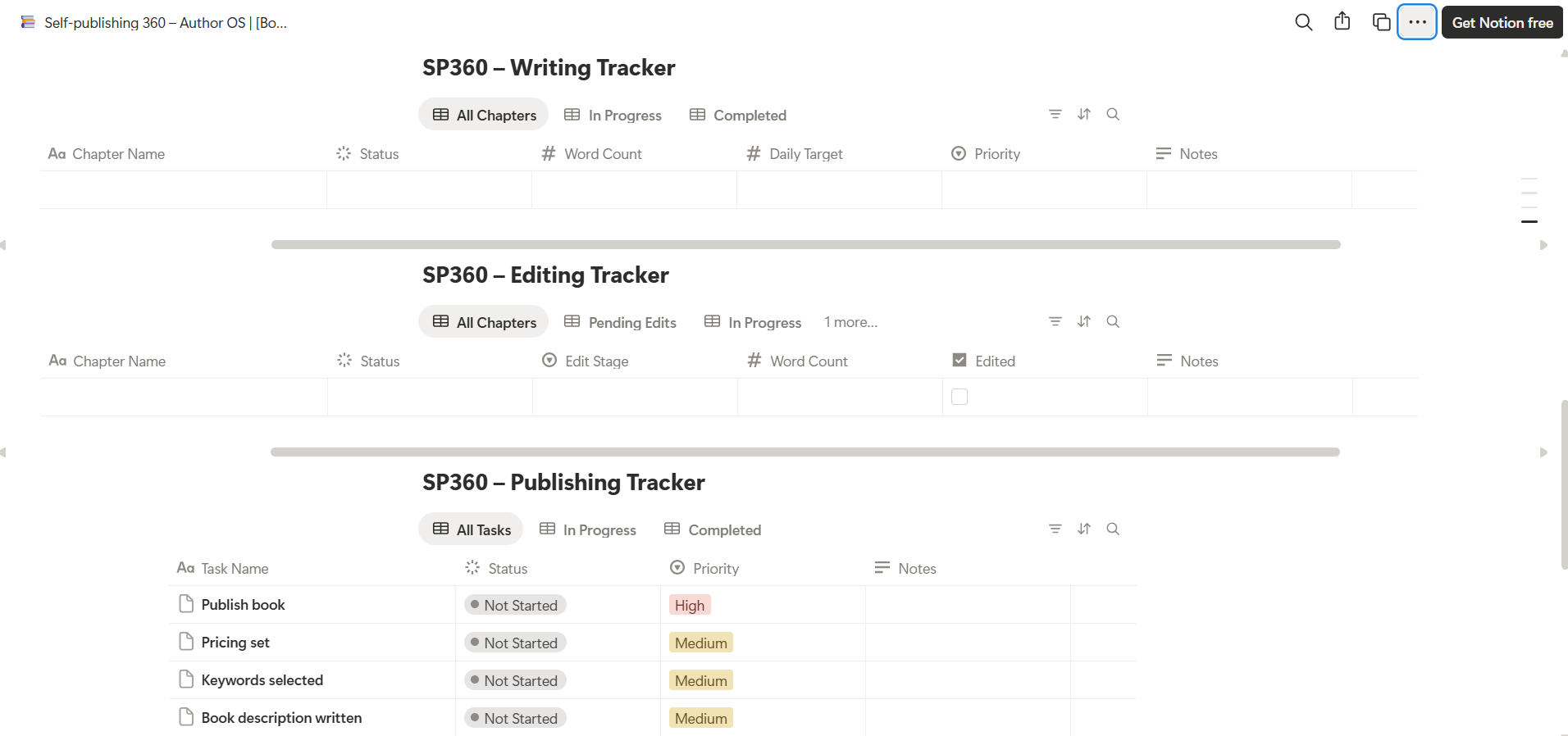
A complete system to help you write, edit, and publish your book without confusion. Get a free Notion Author OS template designed to organize your chapters, track your progress, and guide you from idea to finished manuscript.
When I published my debut book, Me for Myself, I thought hiring book influencers with huge followings would guarantee instant sales. I was wrong. Over the past year, I’ve invested my marketing budget into multiple influencer promotions—some were amazing, while others were incredibly disappointing. Here are the expensive lessons I learned the hard way, so you don't have to.